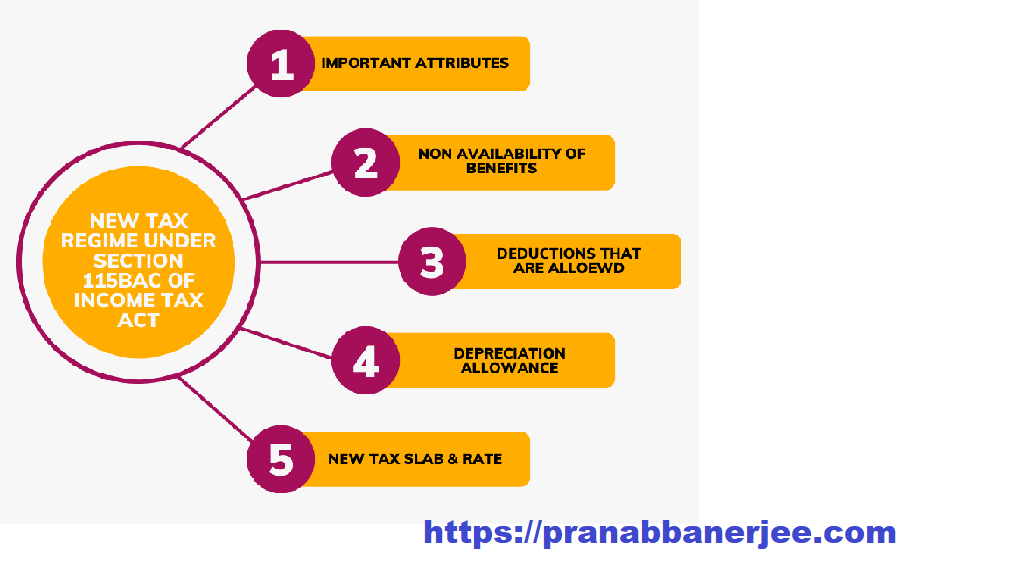

Are you searching for a simple way to calculate your income tax without stress? If yes, you are not alone. Many salaried taxpayers look for an easy and reliable solution every financial year. That is why downloading Autofill Income Tax Software All in One in Excel with Form 10E for FY 2025-26 can make your tax-filing journey smoother. Think of it like having a personal tax assistant right inside your Excel sheet—quick, accurate, and always ready. This article explains everything about this software in a fully active voice and friendly language to help you confidently file your tax return.
| Table of Contents Sr # | Headings |
| 1 | Understanding the Importance of Excel-Based Tax Software |
| 2 | Why Choose Autofill Income Tax Software All-in-One |
| 3 | Key Features of the Software |
| 4 | How the Software Helps with Form 10E |
| 5 | Who Can Use This Income Tax Software |
| 6 | Step-by-Step Guide to Download the Software |
| 7 | How to Use Autofill Functions Effectively |
| 8 | Benefits of Income Tax Software in Excel |
| 9 | Common Mistakes Taxpayers Make and How This Tool Helps |
| 10 | Security and Privacy Features |
| 11 | How This Software Saves Time |
| 12 | Tips for Accurate Tax Filing |
| 13 | Why Excel-Based Tools Are Still Popular |
| 14 | Income Tax Changes for FY 2025-26 |
| 15 | Final Thoughts on Smart Tax Filing |
1. Understanding the Importance of Excel-Based Tax Software
Excel-based tax software stays popular because it simplifies everything from start to finish. Moreover, it gives you complete control over your data, and therefore, you avoid depending on the internet. Additionally, it helps you achieve quick results without technical complications. Consequently, you manage your tax tasks smoothly and efficiently.
2. Why Choose Auto Fill Income Tax Software All-in-One
People select this software because it automatically fills tax sections for you, and thus it eliminates confusion. Furthermore, it clarifies your tax liability, especially for FY 2025-26. Likewise, it streamlines the entire tax process, and consequently, you stay stress-free throughout filing.
3. Key Features of the Software
3.1 Autofill System
The autofill feature instantly removes manual entry errors. Additionally, it increases accuracy and saves time, while simultaneously preventing mistakes that you might otherwise overlook.
3.2 Form 10E Integration
You easily enter arrears details with the integrated Form 10E sheet. Moreover, it guides you through each step and, therefore, ensures you claim relief correctly.
3.3 Multiple Employee Categories
The software supports both government and non-government employees. Additionally, it adapts to various salary structures and consequently meets the needs of different workplaces.
3.4 Printable Reports
You generate clean, printable statements for submission. Furthermore, these reports simplify documentation and therefore help you maintain neatly organised files.
4. How the Software Helps with Form 10E
Form 10E plays a key role when you claim relief under Section 89(1). This software guides you step-by-step and ensures you never miss important fields. Consequently, you complete the form accurately. Moreover, the system reduces confusion and, therefore, simplifies arrears-related calculations.
5. Who Can Use This Income Tax Software
Any salaried employee can use this tool. Whether you work in a school, corporate office, government department, or private company, the tool remains easy to handle. Additionally, employees from different income ranges benefit equally, and therefore, the software becomes universally useful.
6. Step-by-Step Guide to Download the Software
Next, follow these steps to download the software smoothly:
-
First, visit the trusted source.
-
Then click the download button.
-
Subsequently, save the Excel file.
-
After that, open it in Microsoft Excel.
-
Finally, enable editing and macros.
Each step flows naturally, and consequently, you start using the software without difficulty.
7. How to Use Auto Fill Functions Effectively
You enter your basic salary details, deductions, and allowances. Then the Excel tool automatically fills your taxable income, deductions, and total tax payable. Meanwhile, it calculates everything within seconds. Additionally, it prevents miscalculations and therefore increases your accuracy.
8. Benefits of Income Tax Software in Excel
Using Income Tax Software in Excel allows you to work offline, and consequently, you avoid connectivity issues. Additionally, it prevents errors, verifies each calculation, and simplifies adjustments. It also acts like a calculator that never gets tired, and therefore, you complete filing confidently and efficiently.
9. Common Mistakes Taxpayers Make and How This Tool Helps
Many taxpayers forget to claim deductions or miscalculate arrears. However, this tool alerts you with built-in formulas and ensures you do not skip anything. Consequently, you avoid unnecessary tax burdens. Likewise, the tool highlights missing entries and therefore improves your overall accuracy.
10. Security and Privacy Features
The software works offline, and therefore your personal data stays safe inside your computer. Additionally, it requires no online submission or data sharing. Consequently, your confidential information remains protected at all times.
11. How This Software Saves Time
The software speeds up filing by performing calculations that would normally take hours. Moreover, it automates repetitive tasks, and therefore, you finish faster. Additionally, it reduces checking time and consequently improves productivity.
12. Tips for Accurate Tax Filing
To ensure accuracy:
-
Always double-check your data.
-
Additionally, keep your salary slips ready.
-
Moreover, use the updated FY 2025-26 Excel version.
Consequently, you avoid errors and complete your filing confidently.
13. Why Excel-Based Tools Are Still Popular
Excel offers flexibility that online portals rarely match. You customise sheets, add notes, and adjust values anytime. Additionally, you work offline and therefore enjoy better privacy. Furthermore, Excel-based tools provide reliability, especially when the internet becomes unstable.
14. Income Tax Changes for FY 2025-26
Every financial year introduces new updates. This tool stays updated with the latest tax slabs, standard deductions, and Form 10E requirements. Additionally, it reflects new rules accurately and therefore helps you stay compliant effortlessly.
15. Final Thoughts on Smart Tax Filing
Tax filing becomes easier when you use the right tool. Therefore, downloading the Autofill Income Tax Software All in One in Excel with Form 10E for FY 2025-26 gives every salaried person a smarter way to file. Moreover, it saves time, reduces stress, and boosts confidence. Ultimately, this tool helps you complete your tax responsibilities smoothly and accurately.
FAQs
1. How do I download Auto Fill Income Tax Software in Excel for FY 2025-26?
You can download it from the link provided below, and after that, you simply follow the steps to start using it.
2. Is the software suitable for government and non-government employees?
Yes, it supports both groups and offers category-specific features. Moreover, it adjusts to various salary structures.
3. Does the software include Form 10E?
Yes, it includes a fully integrated Form 10E sheet that helps you calculate relief under Section 89(1).
4. Do I need advanced Excel skills to use it?
No, you do not need advanced skills because the sheet auto-fills most fields. Additionally, the layout remains simple and user-friendly.
5. Is data stored safely inside this Excel tool?
Yes, all data remains offline, and therefore, it provides stronger privacy and security.
Download Automatic Income Tax Preparation Software All-in-One in Excel (F.Y. 2025–26) for Government and Non-Government Employees

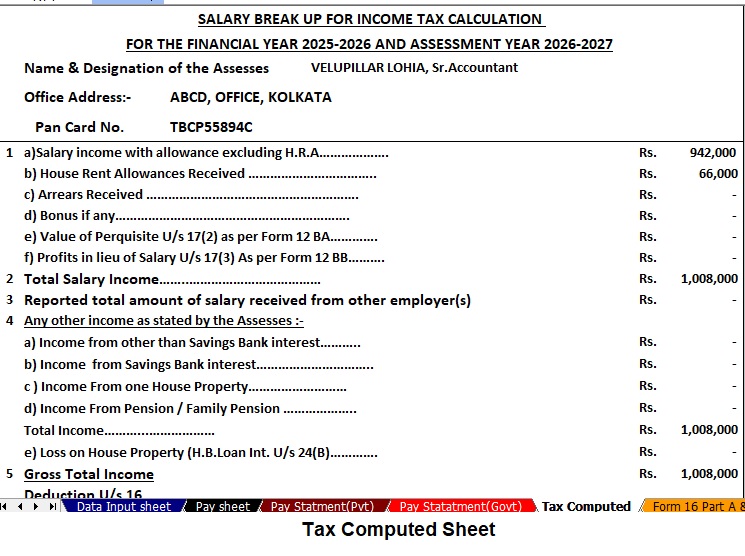


Key Features of the Excel-Based Tax Preparation Utility
- Dual Regime Option:
You can effortlessly choose between the New or Old Tax Regime under Section 115BAC. Furthermore, the tool automatically compares both regimes to help you identify the most tax-saving option. - Customised Salary Structure:
It automatically adjusts according to your salary format, whether you belong to a Government or Non-Government organisation. Additionally, this customisation reduces manual entry and saves valuable time. - Automatic Arrears Relief Calculator [Section 89(1) + Form 10E]:
It accurately calculates arrears relief for the financial years ranging from 2000–01 to 2025–26. In addition, it instantly generates Form 10E for submission, ensuring precise tax relief computations. - Updated Form 16 (Part A & B):
This tool automatically generates Revised Form 16 (Part A & B) for the Financial Year 2025–26. Likewise, it ensures that your Form 16 remains compliant with the latest tax formats. - Simplified Compliance:
It ensures quick and error-free tax computation through advanced built-in formulas. Furthermore, you can confidently prepare your return with zero manual intervention, enhancing both speed and accuracy.